
Five Reasons Why Small and Medium Businesses Should Ask Their IT Provider About VMWare’s vSphere Storage Appliance

December 19th, 2011

Five Reasons Why Small and Medium Businesses Should Ask Their IT Provider About

VMWare’s vSphere Storage Appliance

  1. If your company doesn’t already have shared storage (a SAN) you might not need to spend the money on one: VSA is software that transforms the internal storage from your servers into a virtualized shared storage resource.
  2. Since its software, you won’t have to worry about the costs associated with hardware maintenance (new power
    supplies, replacement parts, etc.)  You will also reduce your energy footprint, since it’s one less piece of equipment to plug in to the wall.
  3. If you already own a vCenter license, you already own your VSA management tool.  The VSA is configured through vCenter, so you can manage your virtual environment from one single source.
  4. Setting up VSA only takes moments, since there isn’t the pesky hardware or cabling to plug in while setting it up.
  5. You can still utilize the availability features of the typical vSphere/shared storage set up, like high availability, vMotion and Fault Tolerance.

Link to VSA on VMWare’s website: http://www.vmware.com/products/datacenter-virtualization/vsphere/vsphere-storage-appliance/overview.html

To learn more about how PEI can help you with your IT needs please visit contact us by filling out this form at http://pei.com/contact-us/

-Erika Larson, PEI

Share

Lync Mobile Clients are Here!

December 15th, 2011

Lync Mobile Clients are Here!

Microsoft just announced the update to Lync Server 2010 that enables new Lync mobile clients!

Organizations have been calling for better Lync mobility and the new Lync mobile clients are here to help you stay connected, communicate and conference on the go.  The Mobile clients for Microsoft Lync 2010 take the power of unified communications mobile.  They include rich presence, instant messaging, audio conferencing, and calling features from a single easy-to-use interface.

The key features include:

-         Joining conferences with a single touch – NO access codes or PIN numbers required.

-         Stay connected, while controlling your availability.  See who’s available at a glance and connect over Instant Messaging, email or call.  Set your own status and notification settings so you can stay in touch while protecting your “off work” time.

-         Communicate with others using a single, consistent identity.  Call-via-work allows outbound calls using
your Enterprise Voice number, making it easier to recognize calls from the Lync mobile client.

-         Connect with confidence through channel encryption, transport layer security (TLS) support, and perimeter/internal network protection that help safeguard your communications.

We’ve heard an almost unanimous call from all of our customers to address a mobile strategy for their organization.  Whether you have Lync or are considering Lync, we’ve got some great ideas to make this a reality.  If you need to understand the timing and availability of Lync mobile clients, give PEI a call at 303-786-7474 or contact us at http://pei.com/contact-us/

-Tim Krueger, PEI

Share

PEI implements Microsoft Dynamics CRM 2011!

August 17th, 2011

PEI implements Microsoft Dynamics CRM 2011!

The past couple of months I have been going through the steps of planning a CRM implementation for our Sales, Marketing and Contract Management team.  If you have ever implemented a CRM you understand that this is no small task.  After reviewing our internal process across all departments, I customized CRM 2011 to fit our needs.  Finally, it is ready to deploy!

For PEI, CRM is a huge step in a new direction.  So what does it mean for our customers?  Well, when any of our clients call us, every PEI employee can get up to date information about all previous contacts with that person or company.  The result is improved customer service and relevant data, which is crucial to building the deep, long term relationships PEI prides itself on.

Internally, we expect to see enhanced processes and improved performance.  Furthermore, the business intelligence capabilities and goal tracking built into CRM 2011 gives us insight into our strengths and weaknesses, and allows us to better serve our customers.

Heidi Christensen, PEI

Ten Reasons why VMWARE’s ZIMBRA is Something to Think About

April 27th, 2011

Ten Reasons why VMWARE’s ZIMBRA is Something to Think About

  1. Self-Proclaimed (by VMWARE) as the next-generation of email and collaboration; it combines email, calendars, contacts, file sharing, documents, social media, and tasks.
  2. It’s Multi-Platform!  This product is not just for Windows, so Linux and Mac users won’t feel left out.
  3. My new favorite word: ZIMLETS!  You can pull an address from an email in to Google maps just by hovering, cross-reference contacts with Salesforce.com, and manage social networks. (For more detail and all available features, see: www.zimbra.com/products/zimlets.html)
  4. Zimbra works well with many smartphones and mobile devices, including the iPhone and Blackberry.
  5. Zimbra  has the ability to work offline.
  6. You get to decide if you want to host Zimbra or let someone else host it and worry about all that behind the scenes “stuff.”
  7. Zimbra is also a good sport by playing alongside the competition, Microsoft Exchange.  One example:  the Calendar Wizard in Zimbra can work together with Microsoft Exchange 2007 and 2010 in order to find the perfect meeting time for your next conference call or “work-related” lunch.
  8. The Migration Wizards will magically migrate you from Microsoft Exchange and Domino environments over to Zimbra. 
  9. For those of you already running a vSPHERE environment, Zimbra can take advantage of its high availability, disaster recovery, backup and life cycle management.
  10. Finally, Zimbra will clean your house, watch your kids, and cook you a nice chicken dinner. Or not.  But it WILL allow you to self-restore previously deleted email messages from the trash using Zimbra Web Client (and with your admin’s permission.) 

Now, these are just a few handpicked reasons why Zimbra is a product to think about.  For more information on the product, including data-sheets and FAQ’s, please see the VMWARE website at: www.vmware.com/products/zimbra/overview.html

-Erika Larson, PEI

End-User Perspective on Microsoft Lync

April 5th, 2011

End-User Perspective on Microsoft Lync 

I am sure many of you are familiar with the end-user adoption process when implementing new technologies in your organization.  Some additions and upgrades are welcomed with open arms while others seem to get ignored and shunned.  Surprisingly we have found a great adoption rate by our end-users after implementing Microsoft Lync internally at PEI.

We had a one hour training session and sent everyone off and running.  Within only a few minutes’ people had already figured out how to set their company photos as their defaults on Lync and started exploring the new features and perks.

Lync is one of those technologies that when your end-users start to play with it they will see the changes and benefits it has to offer.  Just yesterday end-users noticed that Lync puts a little phone icon next to any numbers on websites, allowing you to click right there to place a phone call.

The second feature that our end-users have found of interest is the sharing of the whiteboard.  Mind you these are all features that were not covered in our overview training session.  We had users placing files and pictures on whiteboards collaborating and sharing information within a couple hours of releasing Lync internally.

So for those of you shying away from implementing Lync because of end-user concerns, implement away because we are sure they will see the value in it right away, speeding up collaboration and communication within your organization. 

-Andrea Leonhardt, PEI

Why a Company Should Deploy Exchange Database Availability Groups.

February 8th, 2011

Why a Company Should Deploy Exchange Database Availability Groups.

Microsoft has offered high availability solutions for Exchange for a number of years.  That said, the solutions were complicated – they created a complex environment and were costly to implement.  Further they didn’t offer a lot of protection against a serious failure within the mailbox stores. 

Microsoft made significant improvements with Exchange 2007 when they introduced four methodologies  for Exchange high availability but still did not fully address the complexity in architecture or in management of an Exchange cluster. 

Finally, Microsoft introduced Exchange 2010 and with Exchange 2010 came the ability to create Database Availability Groups (DAG).  DAG provides a solid clustering solution that provides a level of assurance that has long been needed for companies and eliminates a lot of the complexity of creating a highly available Exchange architecture.

So what makes DAG so compelling compared to previous high availability Exchange solutions?

First, a DAG has a very limited dependency on Windows Failover Clustering.  A DAG only uses the cluster database, heartbeat, and file share witness functionality from Windows Failover Clustering.  With previous versions of Exchange, Exchange was an application that was operated by Windows Clustering.  With Exchange 2010, there has been a paradigm shift and Windows Failover Clustering is now only a resource to Exchange.  This will translate to lower costs of deployment and lower administration costs for most companies.

Deployment with Database Availability Groups is easier and can be deployed incrementally.  As mentioned, DAGs still require Windows Failover Clustering therefore Windows 2008 SP2 or R2 Enterprise is required.  Beyond installing Exchange on an Enterprise edition of Windows, a company can implement a Database Availability Group incrementally during the lifecycle of the Exchange server.  Therefore a company does not need to deploy a cluster prior to installing Exchange as in previous versions.  For most companies this will mean less costs to implement and less pain to implement as a company grows or needs change.

Database Availability Groups can also exist with other Exchange roles.  With previous versions of Exchange, if clustering was involved the mailbox store role had to be separated from the other Exchange roles.  This means a high availability solution will require less hardware which means less cost to implement.

Management is performed fully through the Exchange management tools.  With older versions of Exchange, you were required to use cluster management tools as well as Exchange management tools to administer the environment.  With Exchange 2010, this is no longer the case.  A company can manage DAGs completely using the Exchange management tools.  This will translate to a smaller administration foot print for companies.

These four reasons hopefully show that implementing Exchange Database availability groups will cost less to implement, will cost less to administer, and will provide flexibility to an organization while providing an extremely high level of “peace of mind”.  These four reasons are only a few of the reasons why Database Availability Groups make sense for most companies to implement.  As with all IT projects, we recommend reviewing the business needs pertaining to high availability of your messaging environment and evaluating whether Database Availability Groups would meet those needs.  If your company needs assistance with evaluating those business needs or if you would like additional reasons why DAGs are so compelling, PEI would be more than happy to assist.

-Jacob Eker, PEI

Windows Phone 7

February 8th, 2011

Windows Phone 7

Windows Phone 7 has been panned by many since it went on sale in early November 2010. Many people have been criticizing the platform, saying Microsoft is too late the mobile market game, is selling too few devices and does not have enough apps available to sustain it in the marketplace. While some of these critiques may be accurate, the people talking are not looking at the big picture. Windows Phone 7 comes after the Windows Mobile 6, which was a big success in Asian markets and also had a niche following in the United States and Europe. By rebuilding the platform and making it more user friendly, Microsoft is hoping that the Mobile 6 users will take a gamble and go to 7. The odds are good, with Microsoft Office installed out of the box and tight integration with Exchange available, the users will not be disappointed. Also, Microsoft is hoping that the consumer market will take a strong look at devices running Phone 7. With integration with many social networking sites such as Facebook built-in, consumers have plenty to be excited about.

From a business perspective, Microsoft has taken a stance with the platform that is much the stance they have with their core operating systems, in that Phone 7 can run on numerous devices from different vendors. This is similar to model they held with Mobile 6 and a reason one of the product’s main competitors, Droid, is such a success. In the first six weeks of sales, manufacturers shipped 1.5 million phones and the “Marketplace” has over 4,000 apps available. Both of these numbers are ahead of where Droid was in its first six weeks. The apps count is ahead of where the iPhone was in its first six weeks. News is good for more apps as well in 2011, since the apps are .Net, many developers are planning on developing apps for the platform.

Let’s face it as well, Microsoft is not going to let Windows Phone 7 die. A $500 million ad company and the experiences we can take away from Xbox tell us Microsoft is in this for the long haul. With such strong support from companies such as Dell, pushing their workforces to the platform also gives it an instant corporate user base. I think there is room in the market place for Phone 7 alongside Droid and the iPhone…. but this is just another reason why the era of the BlackBerry is finished.

-Peter Cavanaugh, PEI

Tablet PC Update

February 1st, 2011

Tablet PC Update

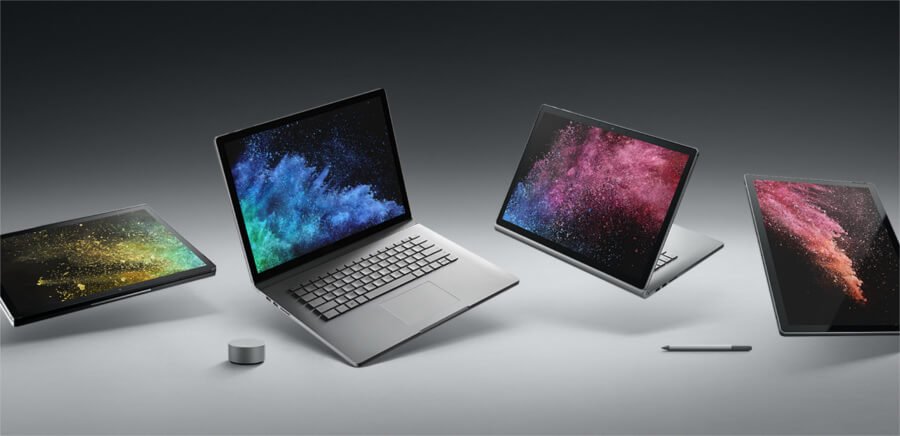
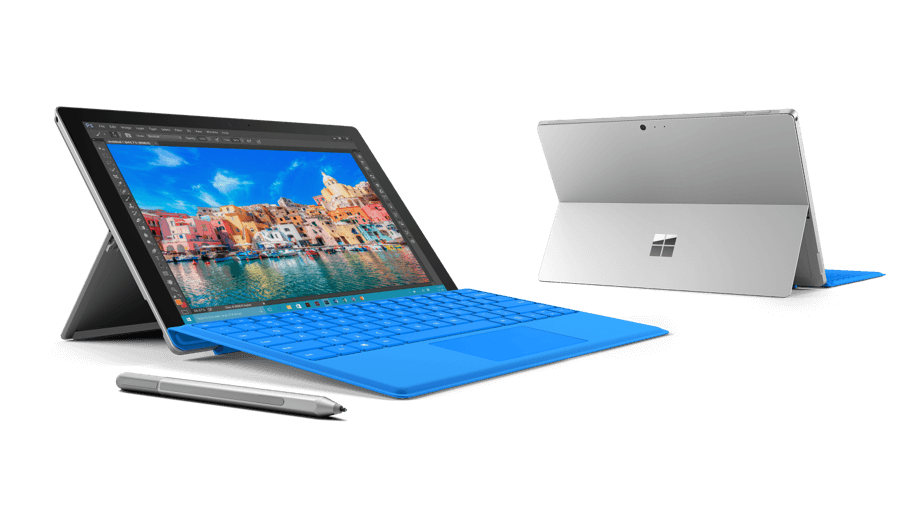
Long ago, October 2010, one of our engineers wrote a blog about tablet PCs and asks the question how the business world and IT departments are going to integrate Tablets.  In the Dec issue of InfomationWeek David Carr wrote a very interesting article.  First, many companies have already established device management and information security policies for the iPhone, which uses the same operating system.  Carr outlines some of the markets for tablets today:

-          Needham Bank gave iPads to departments responsible for checking on construction projects before releasing loans to builders, enabling the group to do more of its work from the field.

-          Trial attorneys replacing large folder of reference paperwork that can be referred to but seldom used.

-          Taylor Made Golf company gave 70 of its sales reps iPads to have access to a large library of marketing material

-          With the new advent of the medical industry moving to digital patience records, the University of Chicago Medical Center gave 150 medical residents iPads  for accessing  electronic medical records

-          Having been a sales rep in a past life the concept of 24/7 access to Salesforce.com makes my head swim.

-          SAP indicated it could buy as many as 17,000 of the devices

With the Dell, Microsoft, Apple, HP, and Samsung and just about everybody in the industry moving and moving quickly into this market, this is a unbelievable market.  So to use a couple of buzz sayings, technology builds things because they can, if you build it they will come.  I am sure that thousands of people above my pay grade are thinking of new designs and uses, it would be difficult to visualize what life will be like in three years with Tablet PCs…

-Randy Blair, PEI

To Buy or Not to Buy?

January 14th, 2011

To Buy or Not to Buy?

The announcement this week for the new Verizon iPhone made me think about how people choose to embrace or reject new technology.  If some brand new software or gadget comes out, there’s always a group of enthusiasts that jump right on it; whether it was the hybrid car, the Blueray disc, or even the first iPhone through AT&T.

But behind the excitement you will find a group of “hold-off-ers,” adhering to the belief that the first version of any new technology will fail.  They won’t buy until all of the “kinks” are worked out.  And yes, in some cases, it has been smart to wait on certain products (feel free to pat yourself on the back if you didn’t convert your entire VHS collection over to laserdisc.)  But many companies provide you with a way to make sure your technological savvy won’t backfire.  One of those companies I want to make an example of is Microsoft.  A lot of people are hesitant to get the first release of any new software program.  They want to wait for the SP2’s or the R2’s.  But Microsoft, with all of their “thinking ahead”, has given us software assurance.  This is not a new feature of their volume licensing program, but a benefit that has been around for a while.  Not only does software assurance provide services and tools to help boost productivity, but it also gives you access to the latest version and updates for the software you are running.  That way you can buy the software you want knowing when Microsoft does come out with service pack updates for their products, they will be available to you in all their glory and the “kinks” from the previous version will magically disappear. 

Ok. So there’s a little bit more to it than that, but it provides good peace of mind to know that companies (not just Microsoft) are looking out for you in the update department.  These companies are on to something and know that sending you in to the technological jungle of new products without providing a first aid kit is not always the best idea.

Now go ahead; don’t hold off on getting that Verizon iPhone or whatever hot new product you’ve had your eye on.   Just check to see if they offer a “peace of mind” support package before you do.

For a deeper look in to Software Assurance Benefits: http://www.microsoft.com/licensing/software-assurance/default.aspx

-Erika Larson, PEI

The Lync Experience

January 11th, 2011

The Lync Experience

Microsoft Lync ushers in a new connected experience transforming every communication into an interaction that is more collaborative, engaging and accessible from anywhere. A single interface unites voice, IM, audio-, video-, and web-conferencing into a richer, more contextual offering. This includes a visually compelling experience that is consistent throughout Microsoft Office and other business applications, including color-coded presence icons, pictures, high-resolution video and desktop sharing. End-users can instantly see the availability of their contacts, start a conference call from right within Office applications, or sit down for a “face-to-face” video-conference. A single identity connects users to contacts inside and outside of the organization with communications that are federated with corporate and leading public IM networks. And a single experience across the PC, phone, web or mobile means that users have the choice to connect from many devices. For IT, the benefits are equally powerful, with a highly secure and reliable system that works with Active Directory, Microsoft Exchange and Microsoft SharePoint and uses Microsoft management tools to facilitate easier management and lower cost of ownership. Interoperability with existing systems enables smoother deployment and migration.

Close